 Taskling
Everything Taskling does, one calm screen at a time.
Each feature solves one planning problem. Start with whichever one sounds most like your day.

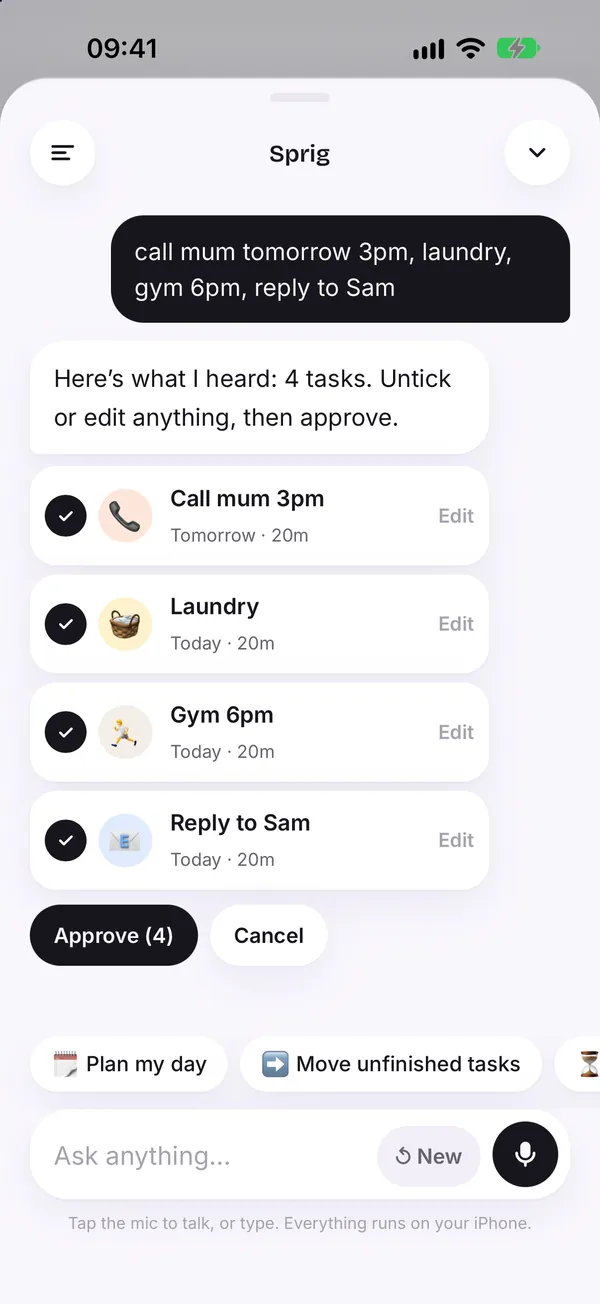
Say it messy. Sprig turns it into a plan.
Write or talk the way you think. Sprig pulls out the tasks, suggests times and day sections, and waits for your OK before anything is added.
Learn more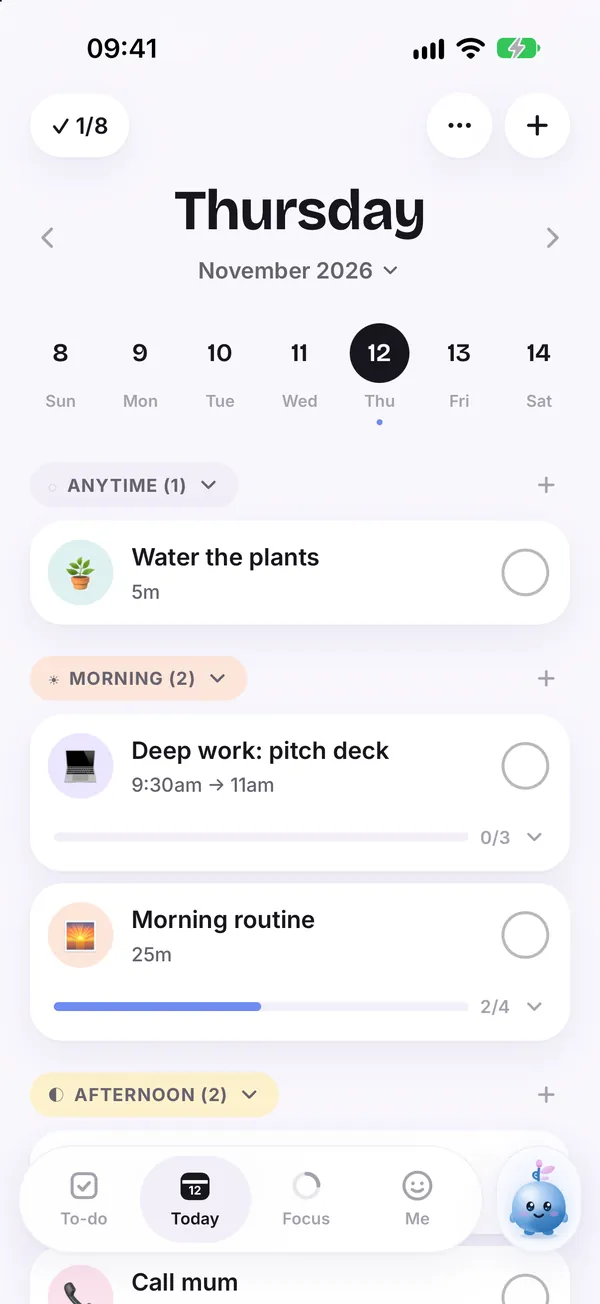
A daily planner shaped like your actual day.
Today is split into Morning, Afternoon, Evening and Anytime, so you can see what belongs where without building a rigid schedule.
Learn more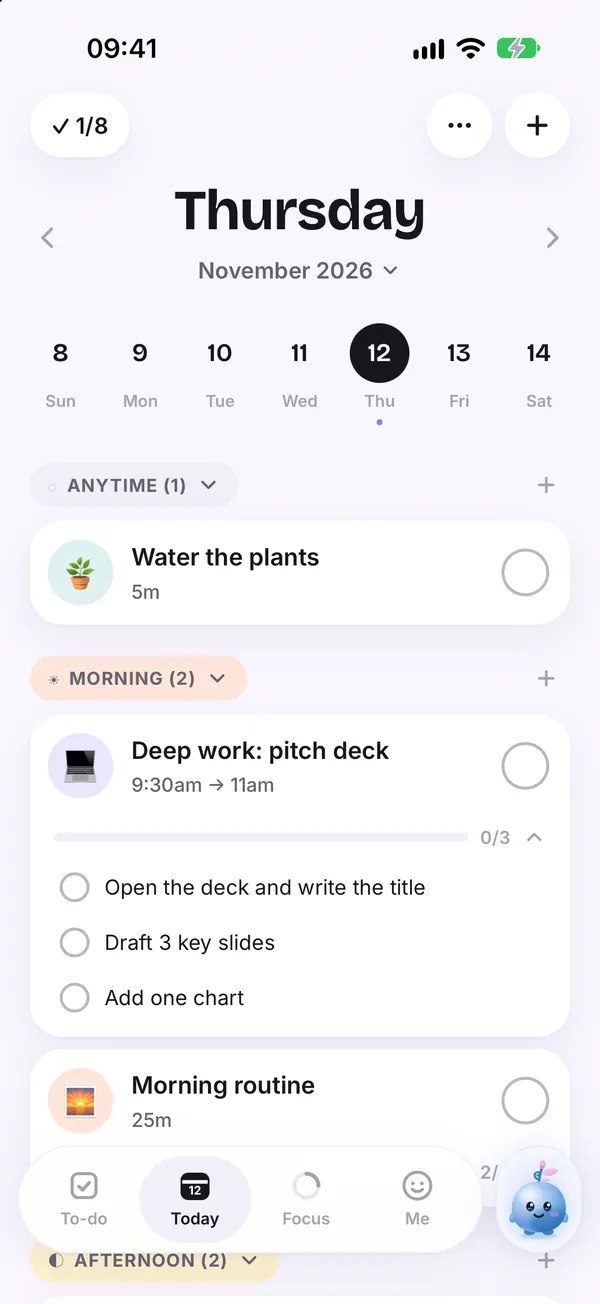
Big task? See the very next step.
Taskling breaks a large task into small steps, so instead of "pitch deck" you see "open the deck and write the title".
Learn more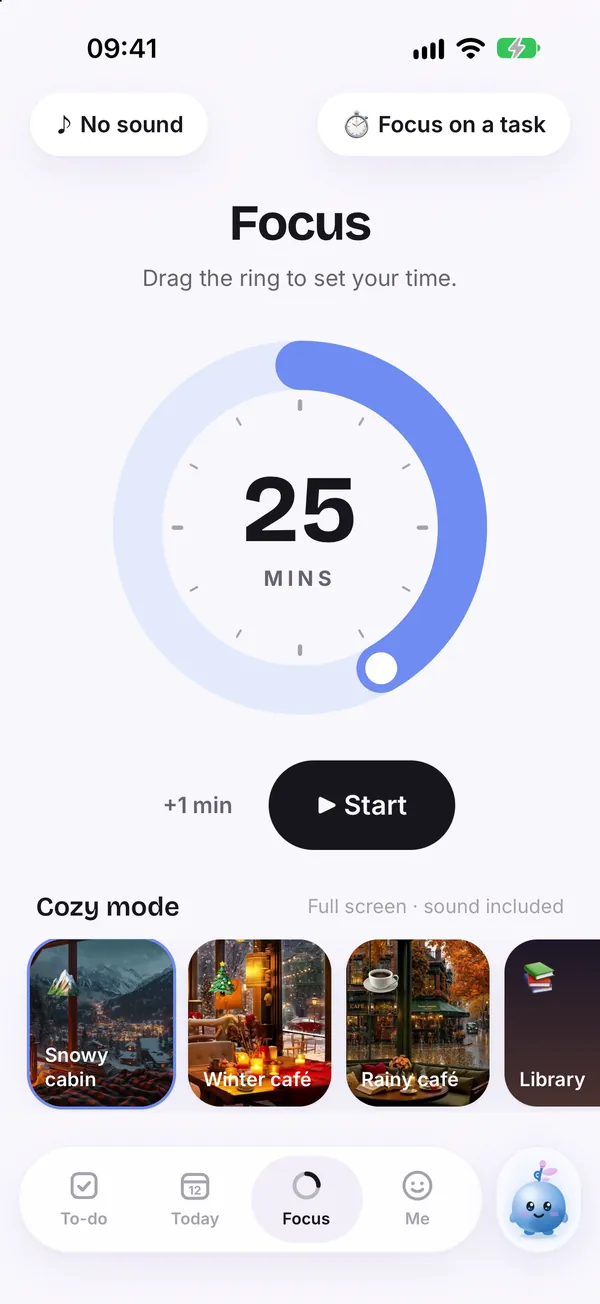
Focus on one thing, for as long as feels doable.
Drag the ring to choose a focus time, pick the task, and work inside a calm focus scene. Short sessions count.
Learn more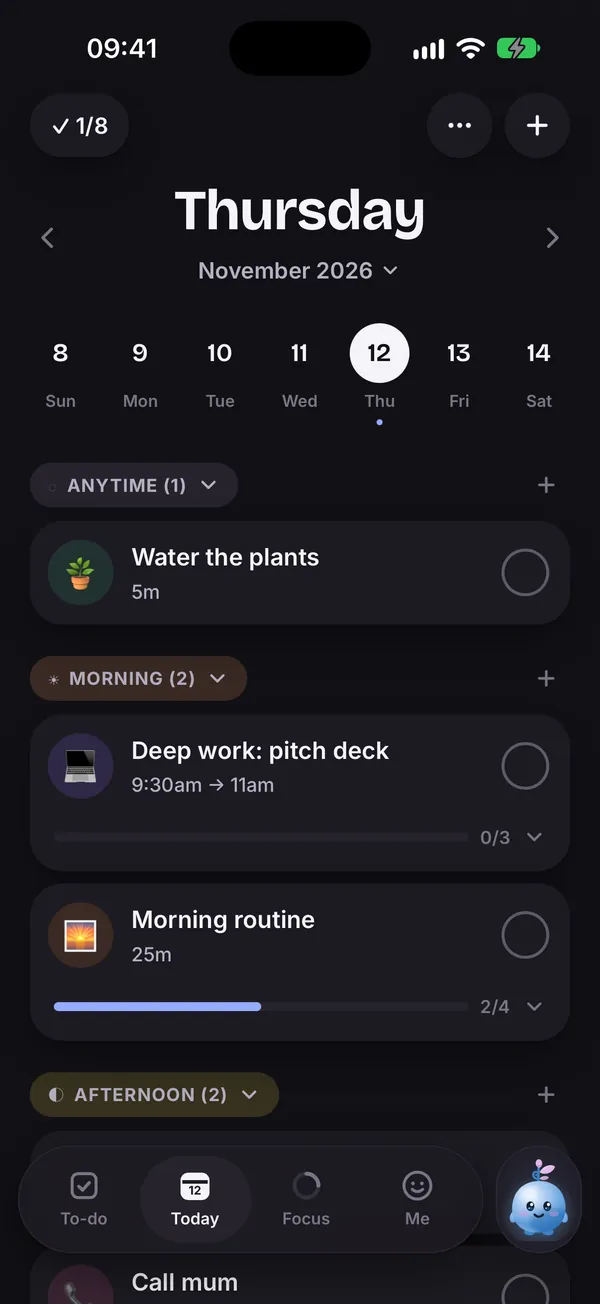
Routines that show up when you need them.
Save the steps you repeat, like a morning routine, and they appear on your day with progress you can tick through.
Learn more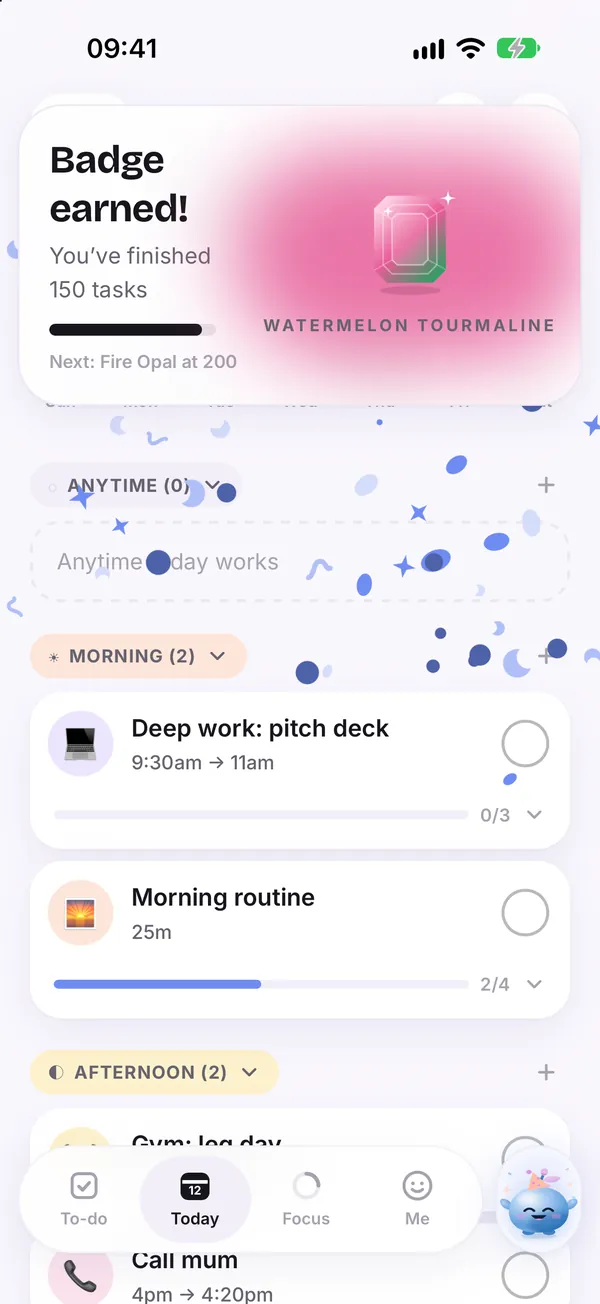
An ADHD planner that starts where your head is.
Taskling is built for people who find ordinary planners overwhelming. You empty your head, Sprig sorts it, and you take one small step at a time.
Learn moreAlso in Taskling
Widgets
Today, Progress and Quick add on your home and lock screen.
Mood check ins
Notice how you feel and plan around your energy.
OpenDyslexic font
A reading friendly font you can switch on anytime.
Themes
Pick the colors that feel calm to you.